The practical answer
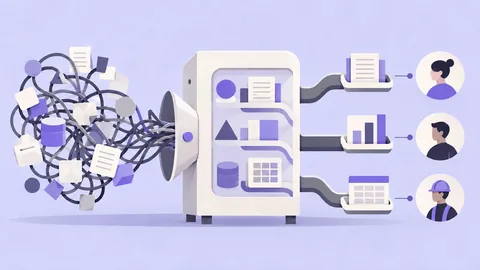
Enterprise work often involves roles, permissions, repeated tasks, and organizational handoffs. Research those constraints directly and support efficient expert work without making the first successful task unnecessarily difficult.
Key takeaways
- Workflow complexity: workflow complexity should be defined early enough to influence architecture, not added during visual polish.
- Role-based access: Treat role-based access as a testable product decision with an owner and a success signal.
- Data density: Document data density explicitly so design and engineering do not resolve it differently.
- Expert efficiency: Use realistic content to validate expert efficiency; placeholder data can hide important failures.
- Auditability: Connect auditability to user behavior and business risk rather than treating it as a style preference.
The core principles
1. Workflow complexity
Separate novice guidance from expert shortcuts. Test with realistic content and edge cases; placeholder data hides many of the problems that appear in production. A useful validation signal is training time, but the number should be read alongside qualitative evidence so the team understands why behavior changed. One recurring failure mode is copying consumer-app minimalism into expert tools.
2. Role-based access
When the stakes are higher, teams should design for exceptions, not just the happy path. One recurring failure mode is measuring only satisfaction rather than productivity.
3. Data density
The central question behind Data density is simple: what must be true for a user to move forward confidently and successfully? For a product team, the practical implication is to design for exceptions, not just the happy path. Instrument the relevant behavior before launch so the team can distinguish a successful release from a merely attractive one. A useful validation signal is adoption of high-value features, but the number should be read alongside qualitative evidence so the team understands why behavior changed. One recurring failure mode is hiding essential context to make screens look clean.
4. Expert efficiency
The central question behind Expert efficiency is simple: what must be true for a user to move forward confidently and successfully? A stronger decision is to map end-to-end workflows before screens. A useful validation signal is support ticket volume, but the number should be read alongside qualitative evidence so the team understands why behavior changed.
5. Auditability
A stronger decision is to separate novice guidance from expert shortcuts. Separate what the team knows from what it assumes, then design the research around the riskiest assumption. A useful validation signal is task completion time, but the number should be read alongside qualitative evidence so the team understands why behavior changed.
6. Bulk actions
A useful validation signal is error and rework rate, but the number should be read alongside qualitative evidence so the team understands why behavior changed.
7. Exceptions
A practical framework you can use
A useful framework for B2B UX Design should help a team move from an ambiguous problem to a testable product decision. The sequence below is intentionally lightweight: it can fit a focused audit, a discovery sprint, or a larger redesign. Do not treat the steps as a rigid waterfall. Research can change scope, testing can reveal a missing requirement, and production data can force a team to revisit the initial diagnosis.
Step 1: Design for exceptions, not just the happy path. Use real constraints, representative content, and the closest available production data. Define a baseline for adoption of high-value features when possible, or at least a clear qualitative success criterion when quantitative measurement is not yet available. Review the step with design, product, engineering, and the people who understand the operational edge cases. Record what changed, what evidence supports the change, and what remains uncertain; this makes later iteration faster and reduces design-by-opinion.
Step 2: Use progressive disclosure for secondary detail. Define a baseline for workflow throughput when possible, or at least a clear qualitative success criterion when quantitative measurement is not yet available.
Step 3: Prioritize frequent and costly actions. Define a baseline for error and rework rate when possible, or at least a clear qualitative success criterion when quantitative measurement is not yet available.
Step 4: Prototype dense states with realistic production data. Define a baseline for support ticket volume when possible, or at least a clear qualitative success criterion when quantitative measurement is not yet available.
Step 5: Separate novice guidance from expert shortcuts. Define a baseline for task completion time when possible, or at least a clear qualitative success criterion when quantitative measurement is not yet available.
Step 6: Map end-to-end workflows before screens. Define a baseline for training time when possible, or at least a clear qualitative success criterion when quantitative measurement is not yet available.
Working on a real product? If you want an expert review of how these principles apply to your product, contact Osama Ali or send a WhatsApp message. I work across UX research, product design, AI/agentic UX, enterprise products, eCommerce, design systems, and Arabic/RTL experiences.
MENA, Arabic, and bilingual considerations
Even when B2B UX Design is not specifically an Arabic UX topic, regional context can change the design. MENA is not one homogeneous market, so a Saudi product, an Egyptian consumer service, and a UAE B2B platform should not inherit the same assumptions by default. For B2B UX Design: How Enterprise UX Differs From Consumer UX, separate universal product logic from locale, language, regulation, payment, identity, content, or behavior decisions.
Regional consideration — Enterprise products may need bilingual roles and terminology. Convert this into a concrete design or research question rather than leaving it as a general cultural statement. For B2B UX Design: How Enterprise UX Differs From Consumer UX, ask which workflow, label, component, policy, or metric could change because of this constraint. Then validate it with the market and user segment you actually serve. This is more reliable than building a generic 'MENA persona' and treating it as evidence.
Regional consideration — Procurement and approval workflows differ by organization.
Regional consideration — Arabic dense-data layouts need dedicated testing.
Regional consideration — Regional business processes should be mapped rather than assumed.
Regional consideration — Legacy integration constraints often shape the experience.
Regional consideration — Training and change management can be as important as interface polish.
How to measure whether the design is working
Measurement for B2B UX Design should match the user outcome and the business risk. With B2B UX Design: How Enterprise UX Differs From Consumer UX, one number rarely tells the whole story: a shorter task can still be confusing, a higher conversion rate can hide regret, and lower support volume can mean users abandoned the task. Use a small metric set that combines behavior, quality, and operational impact.
Task completion time: define the event or observation precisely, segment it where relevant, compare it with a baseline, and pair it with qualitative evidence before drawing a conclusion.
Error and rework rate: define the event or observation precisely, segment it where relevant, compare it with a baseline, and pair it with qualitative evidence before drawing a conclusion.
Support ticket volume: define the event or observation precisely, segment it where relevant, compare it with a baseline, and pair it with qualitative evidence before drawing a conclusion.
Training time: define the event or observation precisely, segment it where relevant, compare it with a baseline, and pair it with qualitative evidence before drawing a conclusion.
Workflow throughput: define the event or observation precisely, segment it where relevant, compare it with a baseline, and pair it with qualitative evidence before drawing a conclusion.
Adoption of high-value features: define the event or observation precisely, segment it where relevant, compare it with a baseline, and pair it with qualitative evidence before drawing a conclusion.
Before launching a change to B2B UX Design, write the expected direction of change and what evidence would make the team reject its own hypothesis. After launch, review B2B UX Design: How Enterprise UX Differs From Consumer UX by meaningful segments such as language, market, device, role, new versus returning user, or traffic source when those segments are relevant. The purpose of measurement is not to prove that design was right; it is to learn whether the product now supports the intended behavior with less friction, error, or uncertainty.
Common mistakes - and what to do instead
Mistake 1: Copying consumer-app minimalism into expert tools. This usually happens when a team optimizes the visible interface before understanding the underlying decision or workflow. In B2B UX Design: How Enterprise UX Differs From Consumer UX, the safer alternative is to state the assumption explicitly, connect it to a user need or constraint, and choose a test that can challenge the assumption. If the team cannot explain what evidence would change its mind, the design decision is probably being treated as preference rather than product reasoning. Document the resolution inside the Enterprise UX system so the same debate does not restart in every sprint.
Mistake 2: Hiding essential context to make screens look clean.
Mistake 3: Optimizing one screen while breaking the workflow.
Mistake 4: Ignoring permissions and edge cases.
Mistake 5: Designing tables with dummy data.
Mistake 6: Measuring only satisfaction rather than productivity.
Implementation checklist
Define the primary user outcome for B2B UX Design.
Identify the user segments, roles, languages, and markets that materially change B2B UX Design: How Enterprise UX Differs From Consumer UX.
Map the end-to-end workflow before optimizing an isolated screen.
Use realistic content, data, errors, and edge cases in prototypes.
Record assumptions separately from known facts.
Test the highest-risk interaction before polishing low-risk details.
Include accessibility and recovery requirements in the definition of done.
Instrument the behaviors needed to judge the outcome.
Review results by relevant segments rather than relying only on an overall average.
Document decisions and exceptions so the product can scale consistently.